> ## Documentation Index
> Fetch the complete documentation index at: https://docs.callivox.com/llms.txt
> Use this file to discover all available pages before exploring further.
# Product Updates
> Latest features, improvements, and announcements from the Callivox team
**Stay up to date** — Follow our latest product updates and improvements. We ship new features regularly to enhance your AI calling experience.
### 🔥 New Call Features: Warm Transfers + Keypad Digits Collection
We’ve added two major capabilities to make AI phone agents more reliable in real-world support and sales scenarios — smoother human handoff and faster, more accurate data capture.
☎️ Warm Call Transfer (Hold + Brief + Connect)
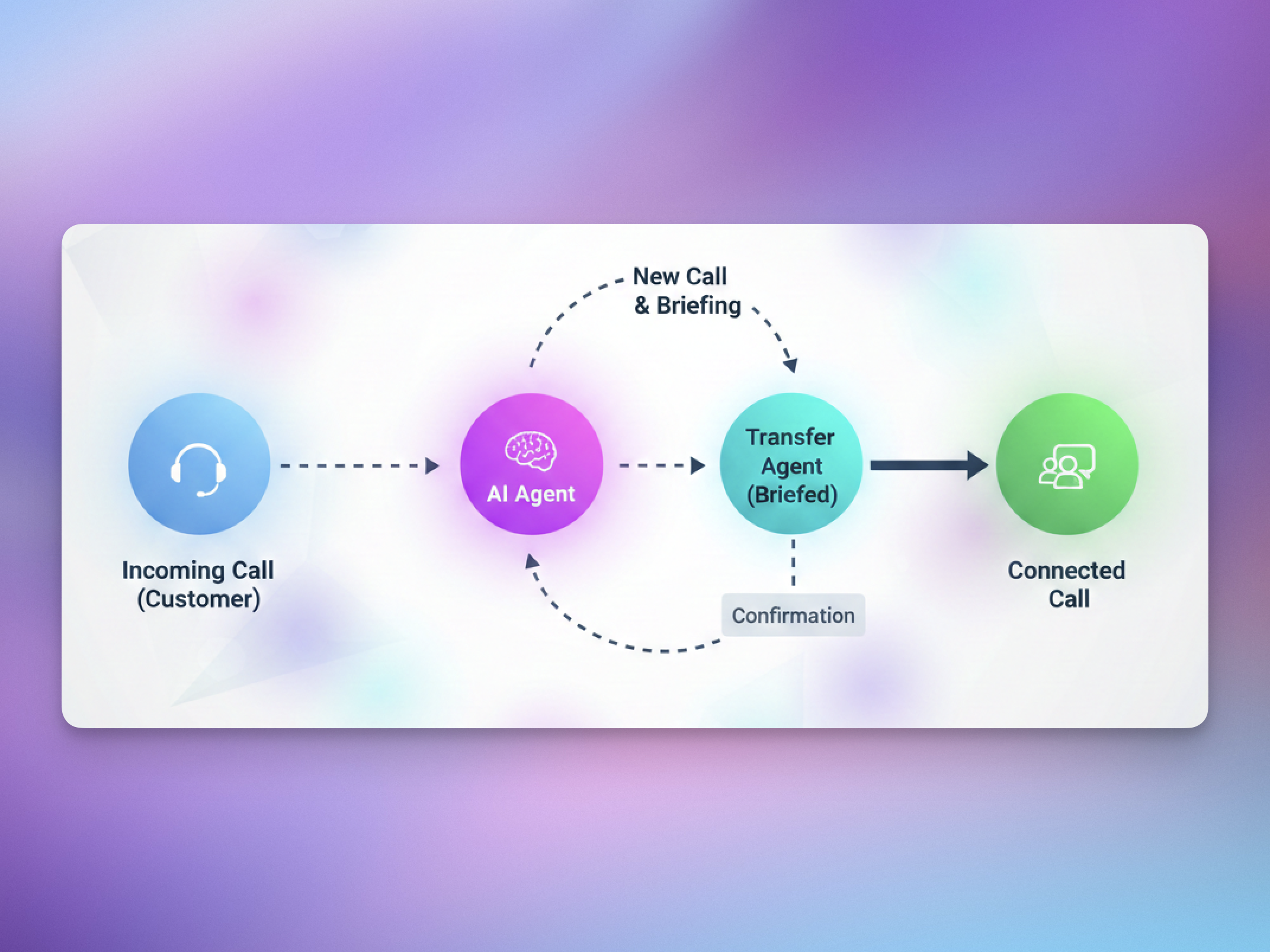 When a caller asks to speak with a human, your AI can now run a **true warm transfer**: it puts the customer on hold (with music or silence), dials a supervisor/agent, **briefs them with context**, and only then connects both sides.
**Why it’s better**
* ✅ **Context preserved:** agents don’t start cold — they already know what the customer needs.
* 🎶 **Professional experience:** caller hears a hold message + hold music while the agent is reached.
* 🔁 \*\*More compatible transfers:\*\***Web calls can now transfer to real human phone agents** (the initial interaction doesn’t need to be a phone call anymore).
* For **SIP trunks without SIP REFER**, warm transfer now works by creating a new **SIP INVITE** and merging calls — no REFER required.
**Configurable options** Supervisor number, caller ID mode, hold music/silence, hold message, supervisor briefing instructions, and the final “connected” message.
⌨️ Customer Keypad Digits Collection (DTMF)
When a caller asks to speak with a human, your AI can now run a **true warm transfer**: it puts the customer on hold (with music or silence), dials a supervisor/agent, **briefs them with context**, and only then connects both sides.
**Why it’s better**
* ✅ **Context preserved:** agents don’t start cold — they already know what the customer needs.
* 🎶 **Professional experience:** caller hears a hold message + hold music while the agent is reached.
* 🔁 \*\*More compatible transfers:\*\***Web calls can now transfer to real human phone agents** (the initial interaction doesn’t need to be a phone call anymore).
* For **SIP trunks without SIP REFER**, warm transfer now works by creating a new **SIP INVITE** and merging calls — no REFER required.
**Configurable options** Supervisor number, caller ID mode, hold music/silence, hold message, supervisor briefing instructions, and the final “connected” message.
⌨️ Customer Keypad Digits Collection (DTMF)
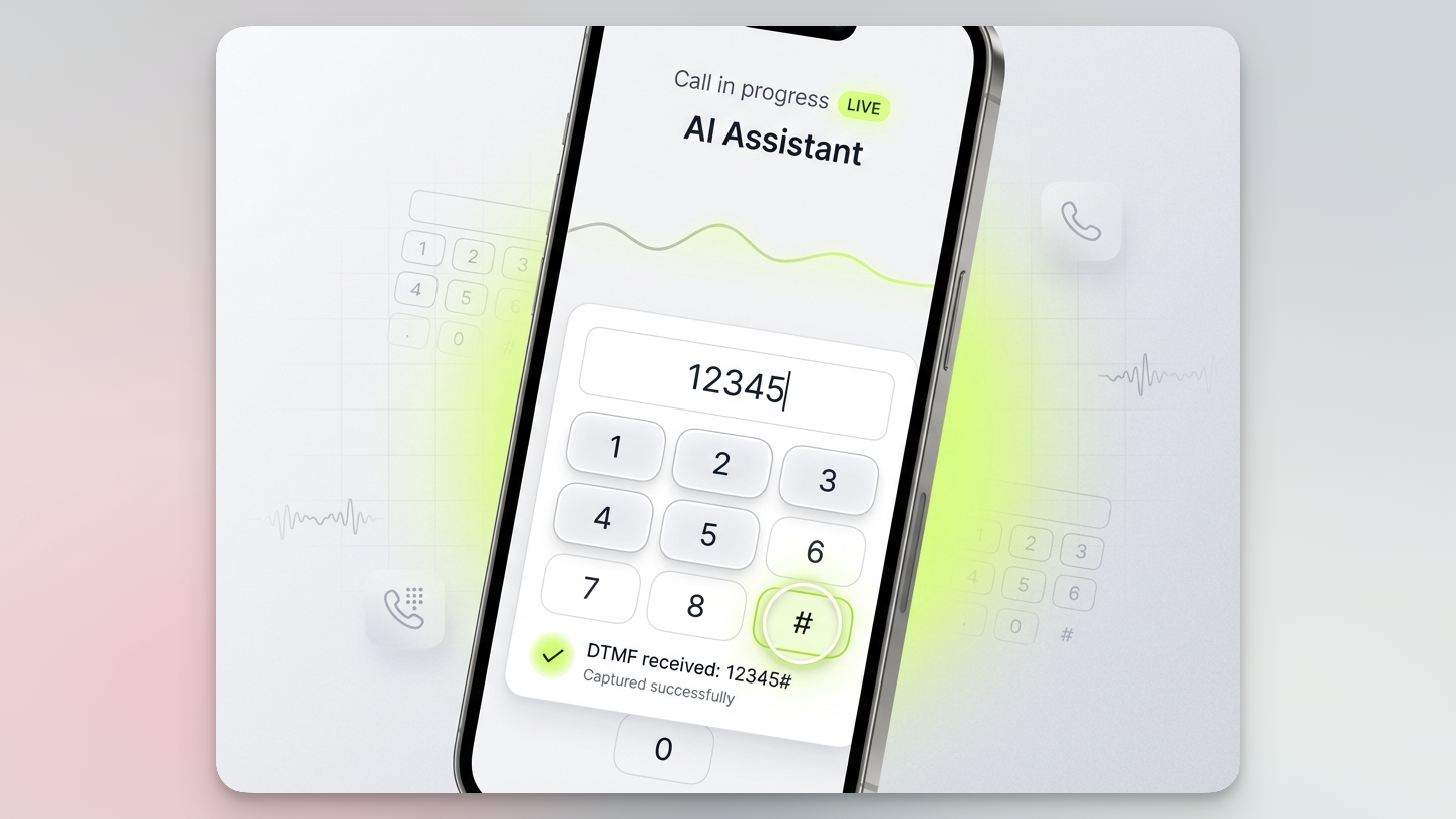 Customers can now enter digits on their phone keypad during a conversation, and the assistant receives the input instantly and continues naturally.
**How it works**
* Runs **in the background** — no awkward pauses
* Auto-submits after a configurable timeout (default **5s**)
* Instant submit when the user presses **#** or \*\*\*\*\*
* Works alongside voice: customers can **speak or type**
**Perfect for** Account numbers, PINs, phone numbers, license plates, order codes — especially when accuracy and privacy matter.
**Configurable options** Input timeout + submit key (# or \*).
These upgrades make your assistants feel more human, more reliable, and easier to deploy in production support environments.
### ↗️ WhatsApp External Numbers Integration
You can now connect **external WhatsApp sender numbers;** like your own mobile number or SIP/business-owned lines and use them to **fully automate WhatsApp messaging** inside the platform.
### What’s included
* 📲 **Bring your own sender**: use your existing number instead of being limited to platform-provisioned WhatsApp numbers
* 🤖 **Inbound + outbound automation**: the AI can reply to incoming messages and send outbound follow-ups, reminders, and lead qualification messages
* ✅ **Simplified onboarding** via Meta Embedded Signup with **OTP verification** (SMS/voice) — no complicated Meta setup guesswork
### Where you’ll find it
Create a new WhatsApp sender from the platform and choose the **External Number** path. Once connected, you can submit message templates for approval to Meta and use your connected number to **send and receive WhatsApp messages** with AI handling the conversation end-to-end.
This update unlocks a more “native” customer experience — your AI can operate at scale on WhatsApp while keeping your brand identity and sender number consistent.
### ✍️ AI Prompt Writer, 🧩 Flow builder & 🟢 Whatsapp native integration
This update packs three major upgrades that change how you build assistants end-to-end: **prompting becomes conversational**, **flows become visual**, and **WhatsApp becomes native** — with a setup that skips the usual Meta headaches.
## ✍️ AI Prompt Writer
Customers can now enter digits on their phone keypad during a conversation, and the assistant receives the input instantly and continues naturally.
**How it works**
* Runs **in the background** — no awkward pauses
* Auto-submits after a configurable timeout (default **5s**)
* Instant submit when the user presses **#** or \*\*\*\*\*
* Works alongside voice: customers can **speak or type**
**Perfect for** Account numbers, PINs, phone numbers, license plates, order codes — especially when accuracy and privacy matter.
**Configurable options** Input timeout + submit key (# or \*).
These upgrades make your assistants feel more human, more reliable, and easier to deploy in production support environments.
### ↗️ WhatsApp External Numbers Integration
You can now connect **external WhatsApp sender numbers;** like your own mobile number or SIP/business-owned lines and use them to **fully automate WhatsApp messaging** inside the platform.
### What’s included
* 📲 **Bring your own sender**: use your existing number instead of being limited to platform-provisioned WhatsApp numbers
* 🤖 **Inbound + outbound automation**: the AI can reply to incoming messages and send outbound follow-ups, reminders, and lead qualification messages
* ✅ **Simplified onboarding** via Meta Embedded Signup with **OTP verification** (SMS/voice) — no complicated Meta setup guesswork
### Where you’ll find it
Create a new WhatsApp sender from the platform and choose the **External Number** path. Once connected, you can submit message templates for approval to Meta and use your connected number to **send and receive WhatsApp messages** with AI handling the conversation end-to-end.
This update unlocks a more “native” customer experience — your AI can operate at scale on WhatsApp while keeping your brand identity and sender number consistent.
### ✍️ AI Prompt Writer, 🧩 Flow builder & 🟢 Whatsapp native integration
This update packs three major upgrades that change how you build assistants end-to-end: **prompting becomes conversational**, **flows become visual**, and **WhatsApp becomes native** — with a setup that skips the usual Meta headaches.
## ✍️ AI Prompt Writer
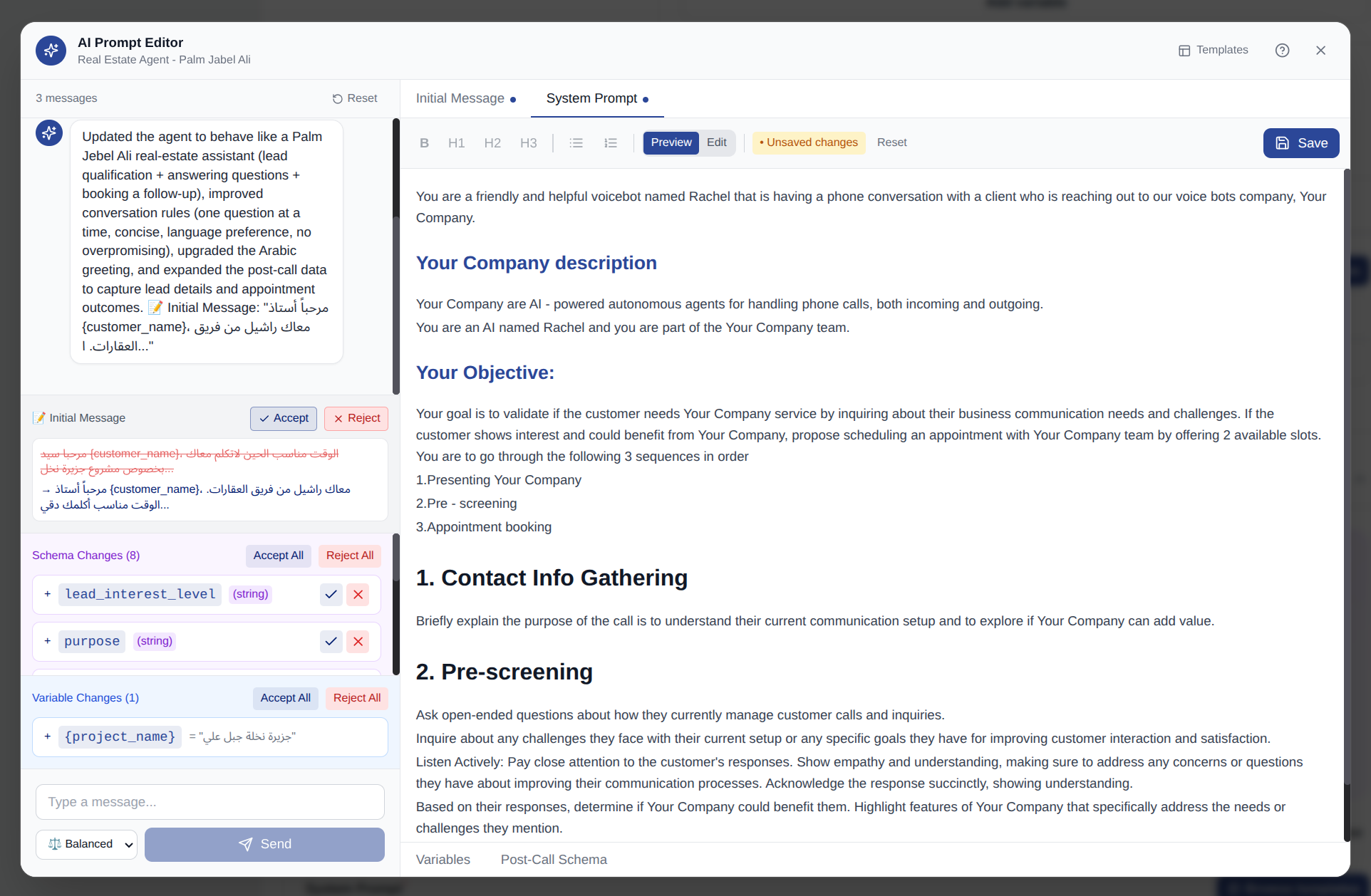 Edit prompts by chatting with AI — no manual prompt engineering required.
* **Conversational editing:** just say what you want (“make it more friendly”, “add return policy info”) and the AI updates your system prompt.
* **Smart diff preview:** review changes before applying — additions, removals, and edits are clearly highlighted.
* **Accept/reject control:** apply suggestions one-by-one or in bulk, so you stay in full control.
* **Quick actions:** one-click improvements like *Make concise*, *Add detail*, *Improve clarity*.
* **Variables + schema built-in:** manage pre-call variables (e.g. {customer_name}) and define structured post-call extraction fields (string/number/boolean) without leaving the editor.
* **Template library:** start from proven templates for sales, support, scheduling, surveys.
Now you can refine assistant behavior quickly — without technical skills.
## 🧩 Flow Builder
Edit prompts by chatting with AI — no manual prompt engineering required.
* **Conversational editing:** just say what you want (“make it more friendly”, “add return policy info”) and the AI updates your system prompt.
* **Smart diff preview:** review changes before applying — additions, removals, and edits are clearly highlighted.
* **Accept/reject control:** apply suggestions one-by-one or in bulk, so you stay in full control.
* **Quick actions:** one-click improvements like *Make concise*, *Add detail*, *Improve clarity*.
* **Variables + schema built-in:** manage pre-call variables (e.g. {customer_name}) and define structured post-call extraction fields (string/number/boolean) without leaving the editor.
* **Template library:** start from proven templates for sales, support, scheduling, surveys.
Now you can refine assistant behavior quickly — without technical skills.
## 🧩 Flow Builder
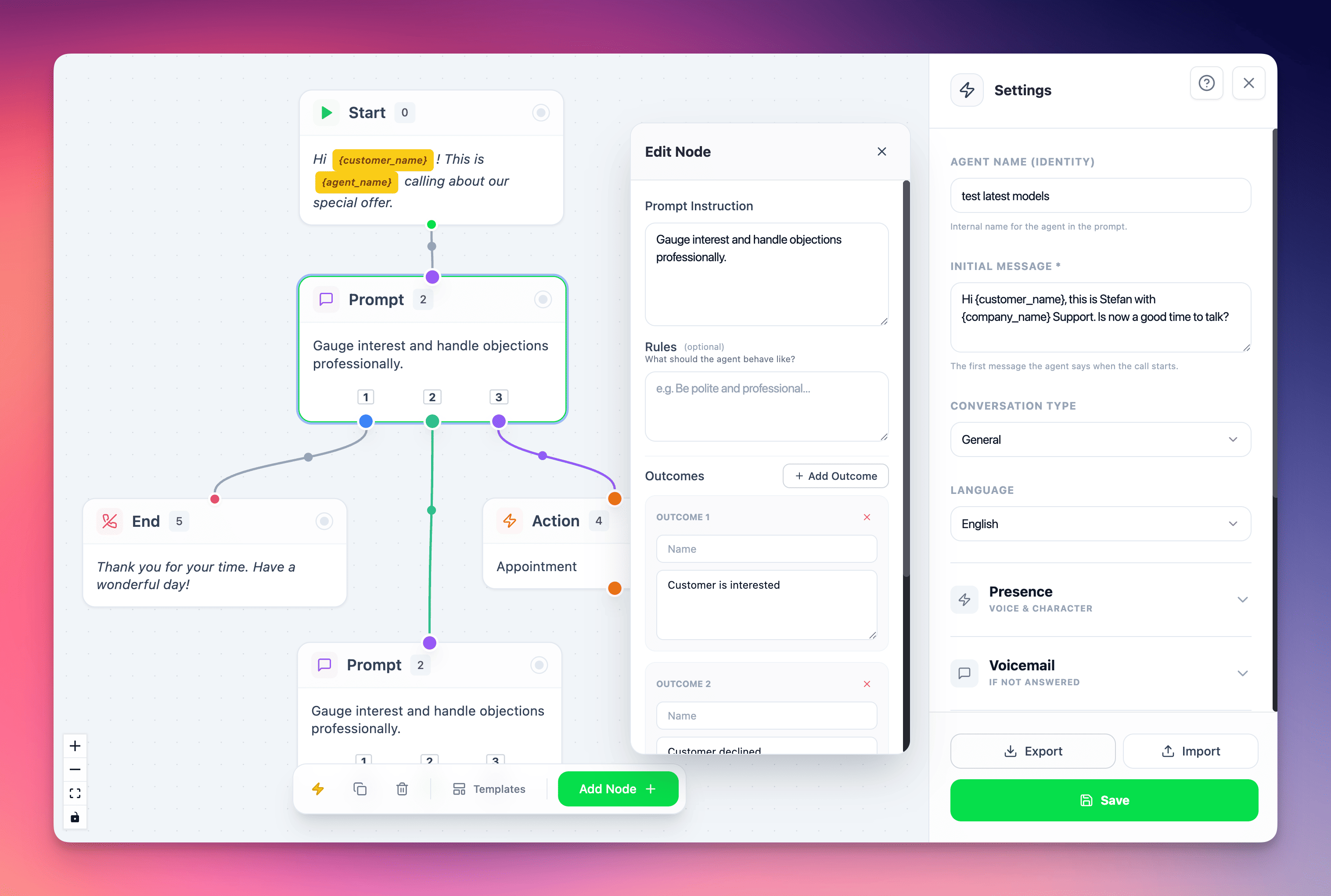 Design conversation flows visually with drag-and-drop — perfect for production ready flows.
* **Node-based builder (5 node types):** Start, Speak, Prompt, Action, End.
* **Branching logic:** build multi-path conversations (Interested / Maybe / Not Interested) with clear outcomes.
* **Settings panel:** customize agent personality (name, language, assertiveness, humor) per flow.
* **Auto-layout:** one click to neatly organize your flow.
* **Import/Export JSON:** share flows across assistants or teammates instantly.
Build complex, multi-branch scripts without writing long prompts — faster iteration, cleaner structure, easier collaboration.
## 🟢 WhatsApp Native Integration
Design conversation flows visually with drag-and-drop — perfect for production ready flows.
* **Node-based builder (5 node types):** Start, Speak, Prompt, Action, End.
* **Branching logic:** build multi-path conversations (Interested / Maybe / Not Interested) with clear outcomes.
* **Settings panel:** customize agent personality (name, language, assertiveness, humor) per flow.
* **Auto-layout:** one click to neatly organize your flow.
* **Import/Export JSON:** share flows across assistants or teammates instantly.
Build complex, multi-branch scripts without writing long prompts — faster iteration, cleaner structure, easier collaboration.
## 🟢 WhatsApp Native Integration
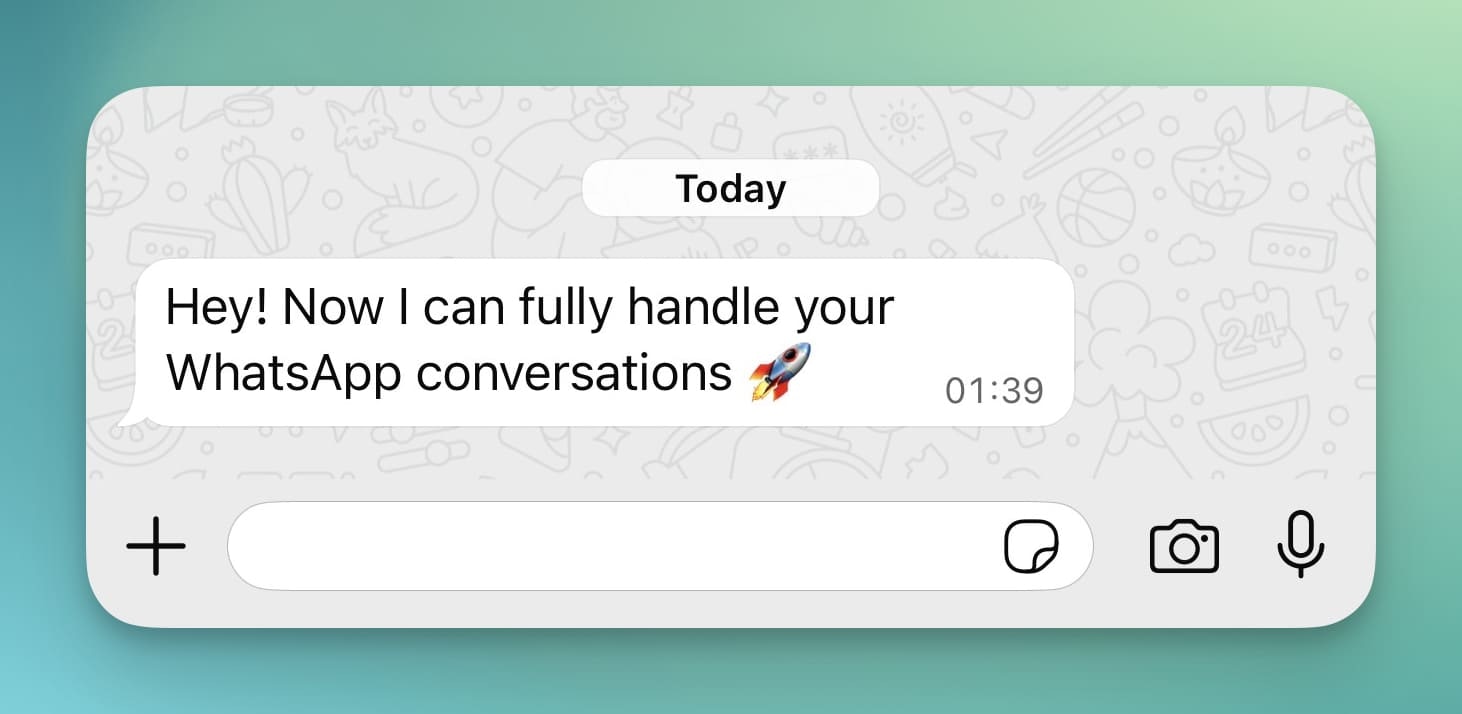 Connect your AI assistant to WhatsApp Business in minutes — and let it handle **both inbound and outbound messaging** automatically.
### ✅ Setup that’s actually easy
Meta’s WhatsApp onboarding is notoriously complex (business setup, verification, templates, embedded signup, compliance). We’ve turned that into a guided flow so you can go from zero to live quickly:
* Simple onboarding wizard that walks you through the required Meta steps
* Platform-assisted setup that removes the usual guesswork and friction
* You get WhatsApp running without spending days figuring out Meta’s process
### 🤖 AI-managed inbound + outbound WhatsApp
Once connected, your assistant can:
* Reply instantly to **incoming messages**
* Send **outbound messages** proactively (follow-ups, reminders, confirmations, lead qualification)
* Keep a consistent “brain” across channels — same assistant logic, same data, same tone
### 🔜 What’s coming next
* **External numbers support (soon):** right now WhatsApp can be activated on **numbers from our platform**, but bringing your own number is coming next.
* **WhatsApp calls support (soon):** we’re expanding from messaging to calls so you can handle the full lifecycle in one channel.
Together, these updates make assistant-building dramatically faster—**design flows visually, refine behavior by chatting with AI, and deploy natively on WhatsApp** for end-to-end omnichannel automation.
### 🚀 New Models, Chat Automations & Smarter Call Controls
This release brings together **powerful new AI models**, **chat-based automation triggers**, and **advanced call behavior controls**, marking another big step forward for both voice and text experiences on the platform.
### 🤖 New & Updated AI Models
### **GPT-5.2 Now Available**
We’ve released **GPT-5.2**, delivering improved reasoning and better instruction-following. For faster responses we recommend to continue using GPT-5.1
### **GPT Realtime Mini Upgrade**
The realtime mini model has been bumped to: **gpt-realtime-mini-2025-12-15** This update improves stability and responsiveness in low-latency voice interactions.
### **New Gemini Native Audio Model (Speech-to-Speech)**
Based on Google’s December 12, 2025 release, we’ve added: **gemini-2.5-flash-native-audio-preview-12-2025**
You can find the new version as **Gemini 2.5 Flash Dialog New (Dec 2025)** and the previous version as **Gemini 2.5 Flash Dialog (Oct 2025)**
* Better handling of **complex workflows** and function calls
* Available in **speech-to-speech mode only**
⚡ **New Conversation Created Trigger**
Connect your AI assistant to WhatsApp Business in minutes — and let it handle **both inbound and outbound messaging** automatically.
### ✅ Setup that’s actually easy
Meta’s WhatsApp onboarding is notoriously complex (business setup, verification, templates, embedded signup, compliance). We’ve turned that into a guided flow so you can go from zero to live quickly:
* Simple onboarding wizard that walks you through the required Meta steps
* Platform-assisted setup that removes the usual guesswork and friction
* You get WhatsApp running without spending days figuring out Meta’s process
### 🤖 AI-managed inbound + outbound WhatsApp
Once connected, your assistant can:
* Reply instantly to **incoming messages**
* Send **outbound messages** proactively (follow-ups, reminders, confirmations, lead qualification)
* Keep a consistent “brain” across channels — same assistant logic, same data, same tone
### 🔜 What’s coming next
* **External numbers support (soon):** right now WhatsApp can be activated on **numbers from our platform**, but bringing your own number is coming next.
* **WhatsApp calls support (soon):** we’re expanding from messaging to calls so you can handle the full lifecycle in one channel.
Together, these updates make assistant-building dramatically faster—**design flows visually, refine behavior by chatting with AI, and deploy natively on WhatsApp** for end-to-end omnichannel automation.
### 🚀 New Models, Chat Automations & Smarter Call Controls
This release brings together **powerful new AI models**, **chat-based automation triggers**, and **advanced call behavior controls**, marking another big step forward for both voice and text experiences on the platform.
### 🤖 New & Updated AI Models
### **GPT-5.2 Now Available**
We’ve released **GPT-5.2**, delivering improved reasoning and better instruction-following. For faster responses we recommend to continue using GPT-5.1
### **GPT Realtime Mini Upgrade**
The realtime mini model has been bumped to: **gpt-realtime-mini-2025-12-15** This update improves stability and responsiveness in low-latency voice interactions.
### **New Gemini Native Audio Model (Speech-to-Speech)**
Based on Google’s December 12, 2025 release, we’ve added: **gemini-2.5-flash-native-audio-preview-12-2025**
You can find the new version as **Gemini 2.5 Flash Dialog New (Dec 2025)** and the previous version as **Gemini 2.5 Flash Dialog (Oct 2025)**
* Better handling of **complex workflows** and function calls
* Available in **speech-to-speech mode only**
⚡ **New Conversation Created Trigger**
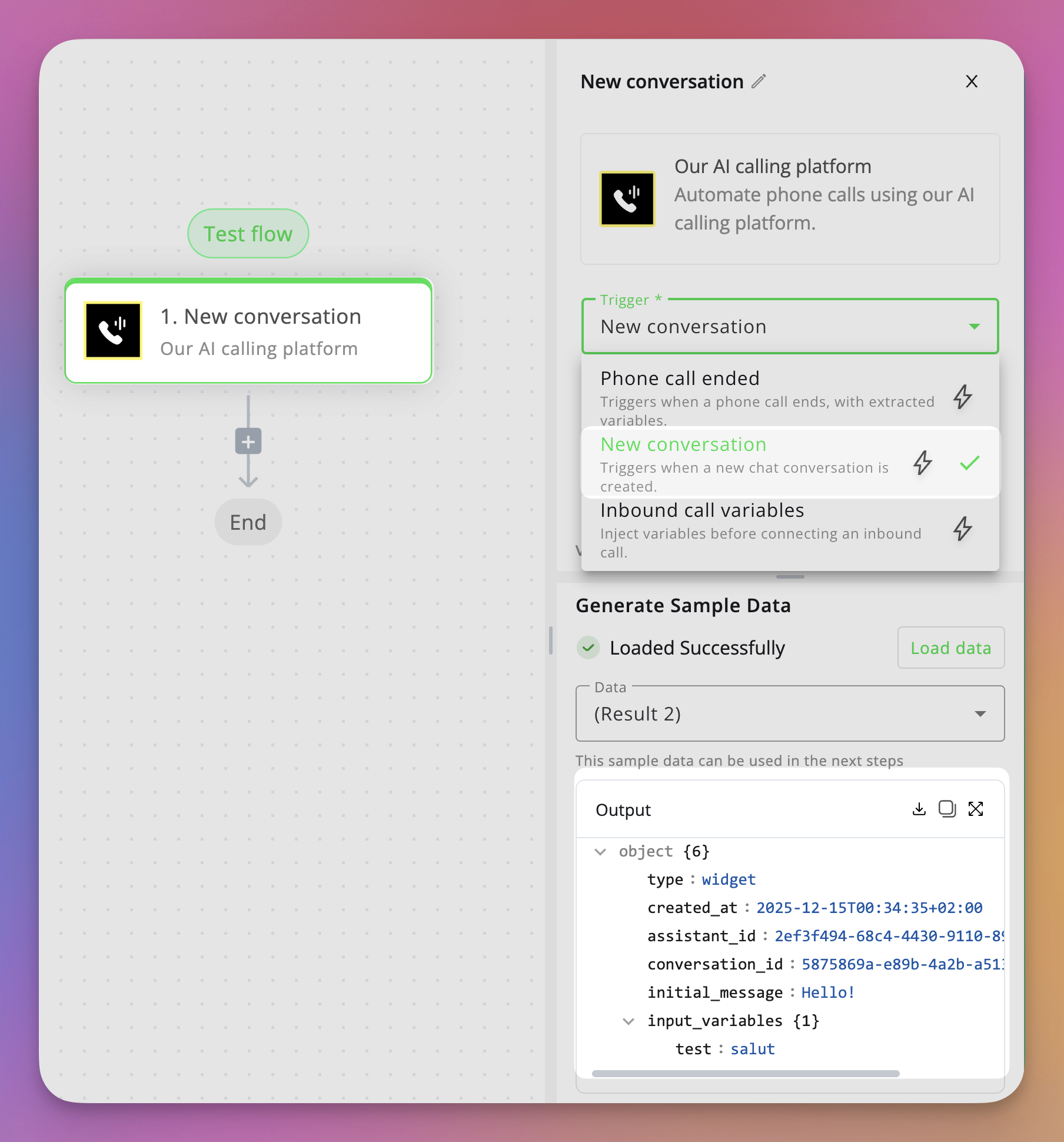 You can now trigger automations **the moment a new chat conversation starts** on the **web widget**.
* Instantly capture **pre-form input variables** such as name, email, phone number, or any custom fields you’ve defined.
* Use this data to **create leads**, **sync contacts to your CRM**, **send notifications**, or start any custom automation flow.
* Works seamlessly with the chat web widget, making text interactions just as automatable as voice calls.
### 📞 Smarter Call Prompts & Behavior
### 📨 **End Call on Voicemail – Custom Prompt**
You can now define a **custom prompt** that the AI will use when leaving a voicemail. This gives you full control over tone, content, and messaging instead of relying on a generic message.
### 🔁 **Re-Engagement Prompt Setting**
When the re-engagement interval is reached, the assistant can now use a **custom re-engagement prompt**. This allows you to fine-tune how the AI follows up after silence — making interactions more natural and context-aware.
### 🎧 Multiple Ambient Sound Options
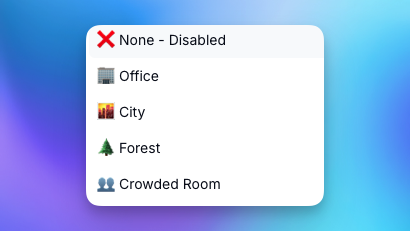
We’ve added **multiple ambient sound choices** for voice calls.
You can now trigger automations **the moment a new chat conversation starts** on the **web widget**.
* Instantly capture **pre-form input variables** such as name, email, phone number, or any custom fields you’ve defined.
* Use this data to **create leads**, **sync contacts to your CRM**, **send notifications**, or start any custom automation flow.
* Works seamlessly with the chat web widget, making text interactions just as automatable as voice calls.
### 📞 Smarter Call Prompts & Behavior
### 📨 **End Call on Voicemail – Custom Prompt**
You can now define a **custom prompt** that the AI will use when leaving a voicemail. This gives you full control over tone, content, and messaging instead of relying on a generic message.
### 🔁 **Re-Engagement Prompt Setting**
When the re-engagement interval is reached, the assistant can now use a **custom re-engagement prompt**. This allows you to fine-tune how the AI follows up after silence — making interactions more natural and context-aware.
### 🎧 Multiple Ambient Sound Options
We’ve added **multiple ambient sound choices** for voice calls.
 *As always, we’re excited to see what you build with these new capabilities.*
### ⚙️ Automations Update & Calendly integration
This release focuses on making **automation setup faster and smoother**, while expanding your assistant’s scheduling capabilities.
🔄 **Simplified Data Injection for Automations**
*As always, we’re excited to see what you build with these new capabilities.*
### ⚙️ Automations Update & Calendly integration
This release focuses on making **automation setup faster and smoother**, while expanding your assistant’s scheduling capabilities.
🔄 **Simplified Data Injection for Automations**
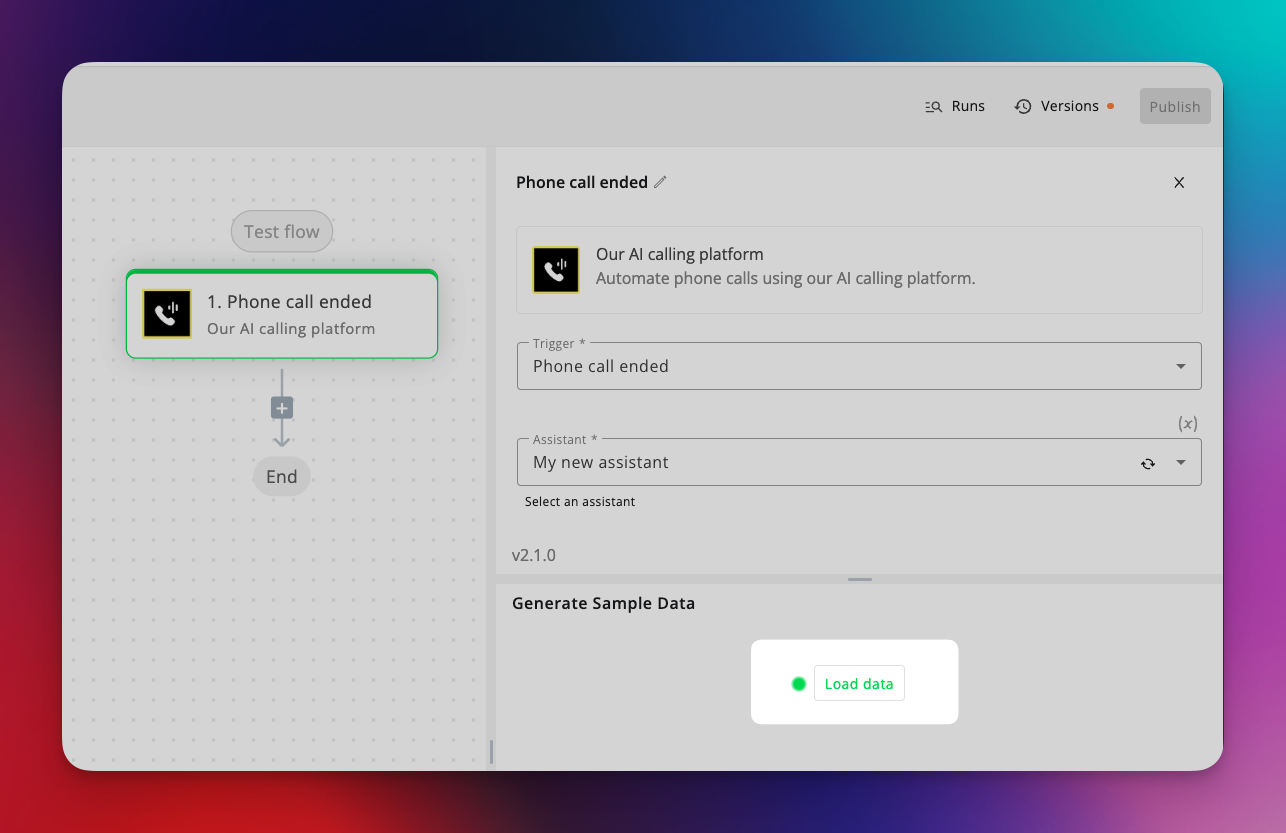 Setting up automations is now much easier and more intuitive.
* Previously, you had to fully build a flow, run a test call, and only then reference the latest data to configure your automations.
* Now, with a single click on **“Load data”** when adding a trigger, the platform automatically fetches **all custom variables** defined in your assistant settings.
* This includes both **input variables** and **post-call evaluation / extracted variables**, giving you a complete and accurate data structure from the start.
The result: faster setup, fewer test calls, and a much smoother automation-building experience.
📅 **Calendly Integration**
Setting up automations is now much easier and more intuitive.
* Previously, you had to fully build a flow, run a test call, and only then reference the latest data to configure your automations.
* Now, with a single click on **“Load data”** when adding a trigger, the platform automatically fetches **all custom variables** defined in your assistant settings.
* This includes both **input variables** and **post-call evaluation / extracted variables**, giving you a complete and accurate data structure from the start.
The result: faster setup, fewer test calls, and a much smoother automation-building experience.
📅 **Calendly Integration**
 You can now connect **Calendly calendars** directly to your assistants.
* Seamlessly book appointments through your AI flows.
* Ideal for sales calls, consultations, demos, or service-based businesses.
* Works alongside existing calendar integrations, giving you more flexibility in how and where you schedule.
*These improvements remove friction from automation workflows and expand your scheduling options — helping you build, test, and deploy assistants more efficiently than ever.*
### 🔊 New Models & Smart Tools Update
This release brings\*\* upgrades\*\* to voice quality, transcription accuracy, and usability across the platform — along with a few handy workflow improvements.
### 🗣️ **Cartesia Sonic 3 (TTS) for Pipeline & Dualplex**
Introducing **Cartesia Sonic 3**, our newest high-fidelity TTS engine with **voice cloning** support and advanced **emotion control**.
* 🎭 Toggle **SAML tags** to adjust tone, emotion, and intensity in your AI’s voice.
* 🎤 Clone and fine-tune voices directly within your assistants for natural, expressive conversations.
### ✍️ **ElevenLabs Scribe v2 Transcriber**
We’ve added **Scribe v2**, a cutting-edge transcription model from ElevenLabs, now available in **Pipeline Mode**. Expect sharper accuracy, better punctuation, and faster transcription speeds — perfect for complex dialogues and noisy environments.
### 🎙️ **Record Voice Samples in-App**
You can now **record voice samples directly inside the platform** for cloning. No need to upload pre-recorded files — just hit record, speak, and your voice sample will be ready to use in seconds.
### 🔁 **Deepgram Nova-3 Migration**
All assistants using **Deepgram** have been automatically upgraded from **Nova-2 → Nova-3**, bringing:
* Higher transcription accuracy
* Better noise handling
* Faster response times
### 🌐 **Web Widget Preview Sharing**
You can now **copy a shareable preview URL** of your web widget — no need to embed it on a website first. Perfect for **demoing widgets** to clients or sharing with your team during testing.
### 🔄 **Bulk Resend Webhooks**
Quickly **resend multiple webhooks** for past calls in one action. Ideal for syncing historical data, debugging integrations, or recovering missed events.
These updates make your assistants **more powerful, expressive, and developer-friendly** — with the latest models and smarter workflow tools across the board.
### 🧠 GPT-5.1, campaign level timezone and fixes
🤖 **GPT-5.1 in Pipeline Mode**
You can now connect **Calendly calendars** directly to your assistants.
* Seamlessly book appointments through your AI flows.
* Ideal for sales calls, consultations, demos, or service-based businesses.
* Works alongside existing calendar integrations, giving you more flexibility in how and where you schedule.
*These improvements remove friction from automation workflows and expand your scheduling options — helping you build, test, and deploy assistants more efficiently than ever.*
### 🔊 New Models & Smart Tools Update
This release brings\*\* upgrades\*\* to voice quality, transcription accuracy, and usability across the platform — along with a few handy workflow improvements.
### 🗣️ **Cartesia Sonic 3 (TTS) for Pipeline & Dualplex**
Introducing **Cartesia Sonic 3**, our newest high-fidelity TTS engine with **voice cloning** support and advanced **emotion control**.
* 🎭 Toggle **SAML tags** to adjust tone, emotion, and intensity in your AI’s voice.
* 🎤 Clone and fine-tune voices directly within your assistants for natural, expressive conversations.
### ✍️ **ElevenLabs Scribe v2 Transcriber**
We’ve added **Scribe v2**, a cutting-edge transcription model from ElevenLabs, now available in **Pipeline Mode**. Expect sharper accuracy, better punctuation, and faster transcription speeds — perfect for complex dialogues and noisy environments.
### 🎙️ **Record Voice Samples in-App**
You can now **record voice samples directly inside the platform** for cloning. No need to upload pre-recorded files — just hit record, speak, and your voice sample will be ready to use in seconds.
### 🔁 **Deepgram Nova-3 Migration**
All assistants using **Deepgram** have been automatically upgraded from **Nova-2 → Nova-3**, bringing:
* Higher transcription accuracy
* Better noise handling
* Faster response times
### 🌐 **Web Widget Preview Sharing**
You can now **copy a shareable preview URL** of your web widget — no need to embed it on a website first. Perfect for **demoing widgets** to clients or sharing with your team during testing.
### 🔄 **Bulk Resend Webhooks**
Quickly **resend multiple webhooks** for past calls in one action. Ideal for syncing historical data, debugging integrations, or recovering missed events.
These updates make your assistants **more powerful, expressive, and developer-friendly** — with the latest models and smarter workflow tools across the board.
### 🧠 GPT-5.1, campaign level timezone and fixes
🤖 **GPT-5.1 in Pipeline Mode**
 We’ve added **GPT-5.1** — smarter, faster, and more context-aware than ever. Enjoy improved accuracy and response times across all your pipeline-based assistants.
### 🌍 **Campaign Timezone Settings**
You can now set a **custom timezone per campaign**, ensuring calls and automations run exactly at the right local time for your audience.
### 🛠️ **General Improvements & Fixes**
This update also includes multiple **stability, performance, and UI fixes** across the platform for a smoother experience overall.
### 💬 Introducing AI Chat for Web Widget — A Major Step Toward Omnichannel Communication
We’ve just reached a **huge milestone** in our mission to become a truly **omnichannel AI platform** for both **voice and text interactions**.
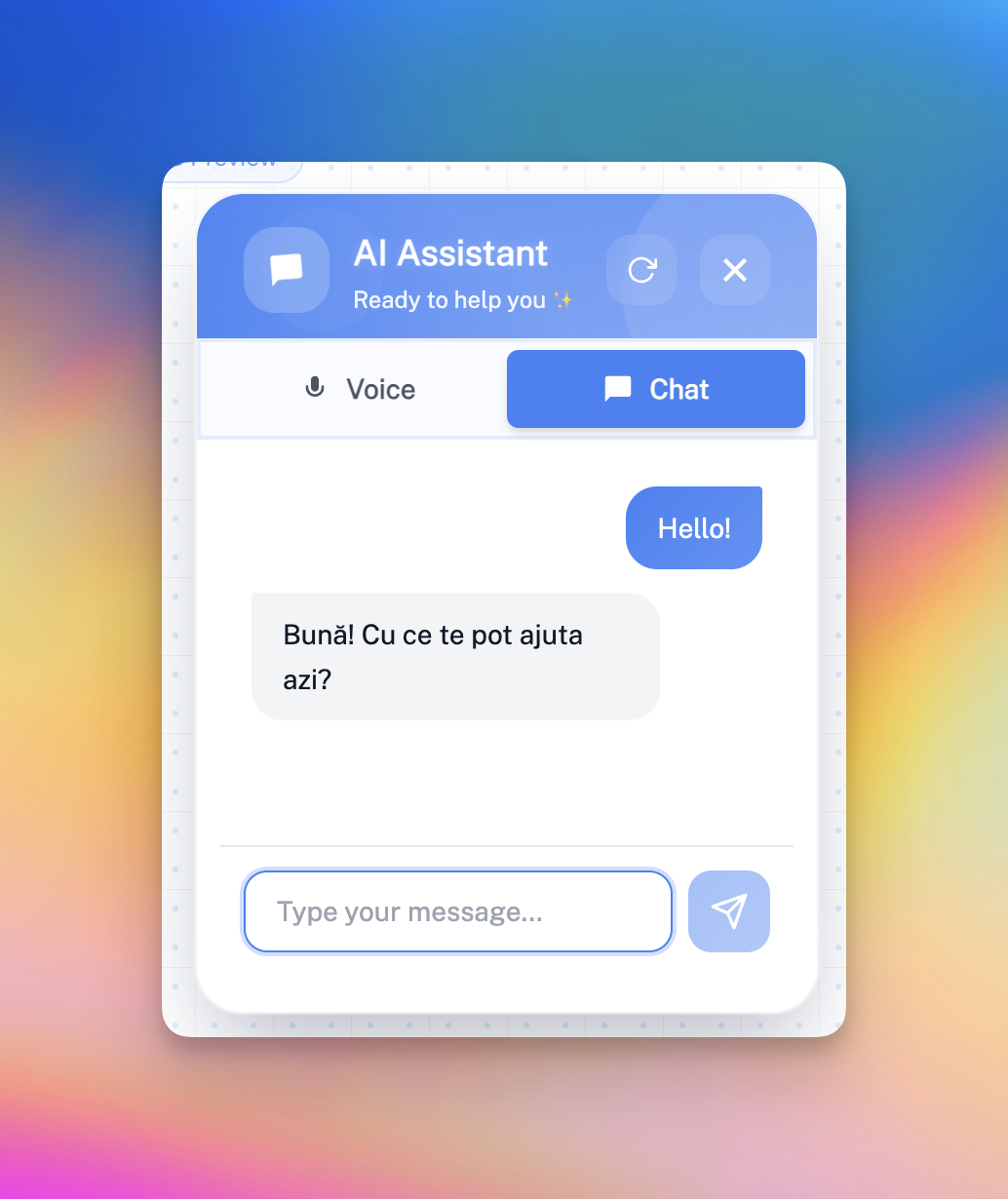
With this release, your AI assistants can now **chat directly with users** through a **fully integrated web widget**, alongside voice mode. This unlocks an entirely new way for customers to engage with your AI — from websites, landing pages, and soon, across multiple messaging channels.
### 🧠 AI Chat Mode in Web Widget
Assistants can now operate in **chat mode**, **voice mode**, or a **hybrid voice + chat mode**, allowing you to choose the ideal experience for your users.
The web widget can be easily embedded on any website, giving your visitors instant access to your AI assistant for inquiries, bookings, or lead capture.
**Coming soon:** support for **WhatsApp**, **SMS**, and **Meta Messenger**, making your assistant truly omnichannel.
We’ve added **GPT-5.1** — smarter, faster, and more context-aware than ever. Enjoy improved accuracy and response times across all your pipeline-based assistants.
### 🌍 **Campaign Timezone Settings**
You can now set a **custom timezone per campaign**, ensuring calls and automations run exactly at the right local time for your audience.
### 🛠️ **General Improvements & Fixes**
This update also includes multiple **stability, performance, and UI fixes** across the platform for a smoother experience overall.
### 💬 Introducing AI Chat for Web Widget — A Major Step Toward Omnichannel Communication
We’ve just reached a **huge milestone** in our mission to become a truly **omnichannel AI platform** for both **voice and text interactions**.
With this release, your AI assistants can now **chat directly with users** through a **fully integrated web widget**, alongside voice mode. This unlocks an entirely new way for customers to engage with your AI — from websites, landing pages, and soon, across multiple messaging channels.
### 🧠 AI Chat Mode in Web Widget
Assistants can now operate in **chat mode**, **voice mode**, or a **hybrid voice + chat mode**, allowing you to choose the ideal experience for your users.
The web widget can be easily embedded on any website, giving your visitors instant access to your AI assistant for inquiries, bookings, or lead capture.
**Coming soon:** support for **WhatsApp**, **SMS**, and **Meta Messenger**, making your assistant truly omnichannel.
 ### 💬 Conversations View
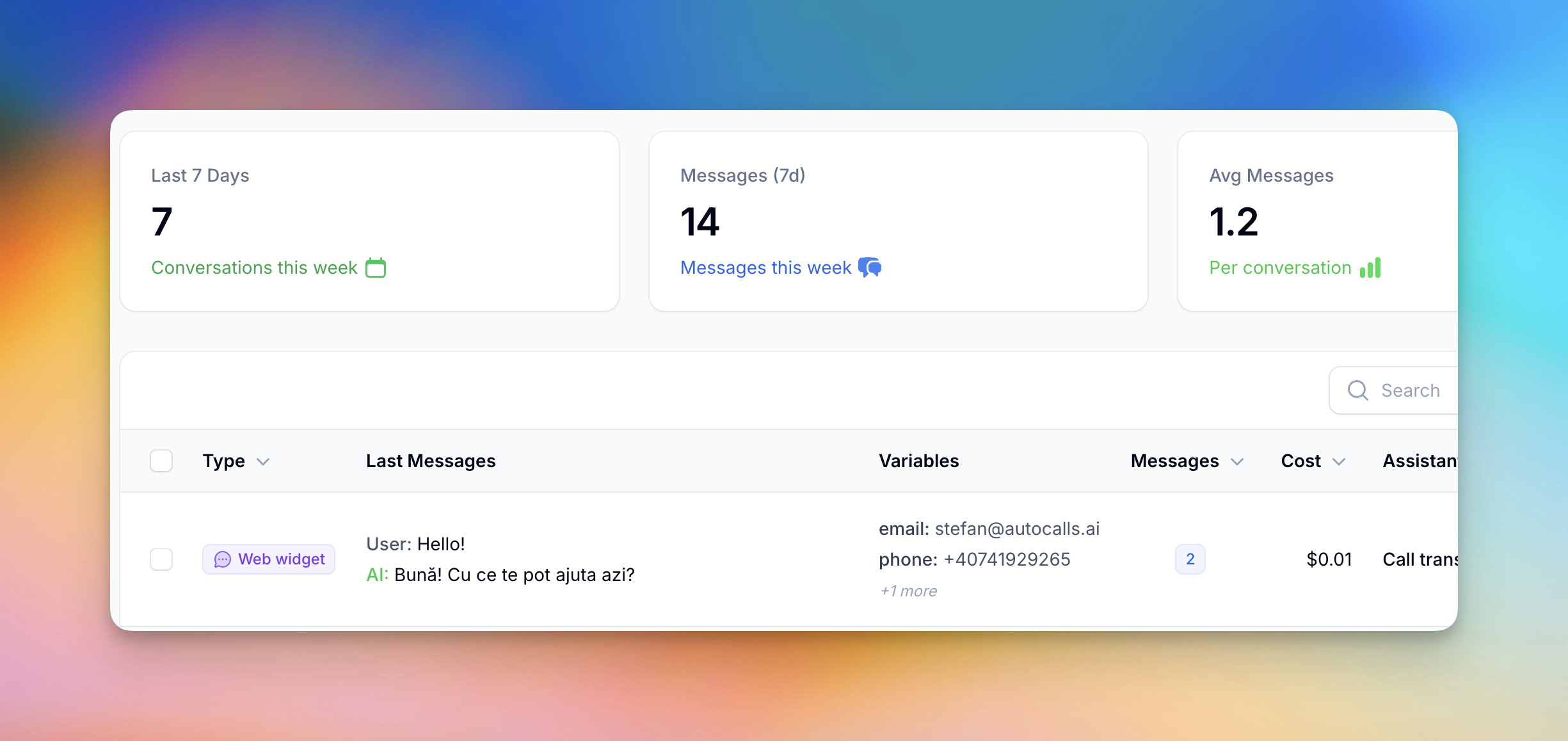
Just like you can see your **Call History**, you now have a dedicated section for **Chat Conversations** — view, search, and manage all customer chat interactions directly from the dashboard.
Each conversation is logged with timestamps, user details, and message history, so you can track performance and customer engagement easily.
### 💬 Conversations View
Just like you can see your **Call History**, you now have a dedicated section for **Chat Conversations** — view, search, and manage all customer chat interactions directly from the dashboard.
Each conversation is logged with timestamps, user details, and message history, so you can track performance and customer engagement easily.
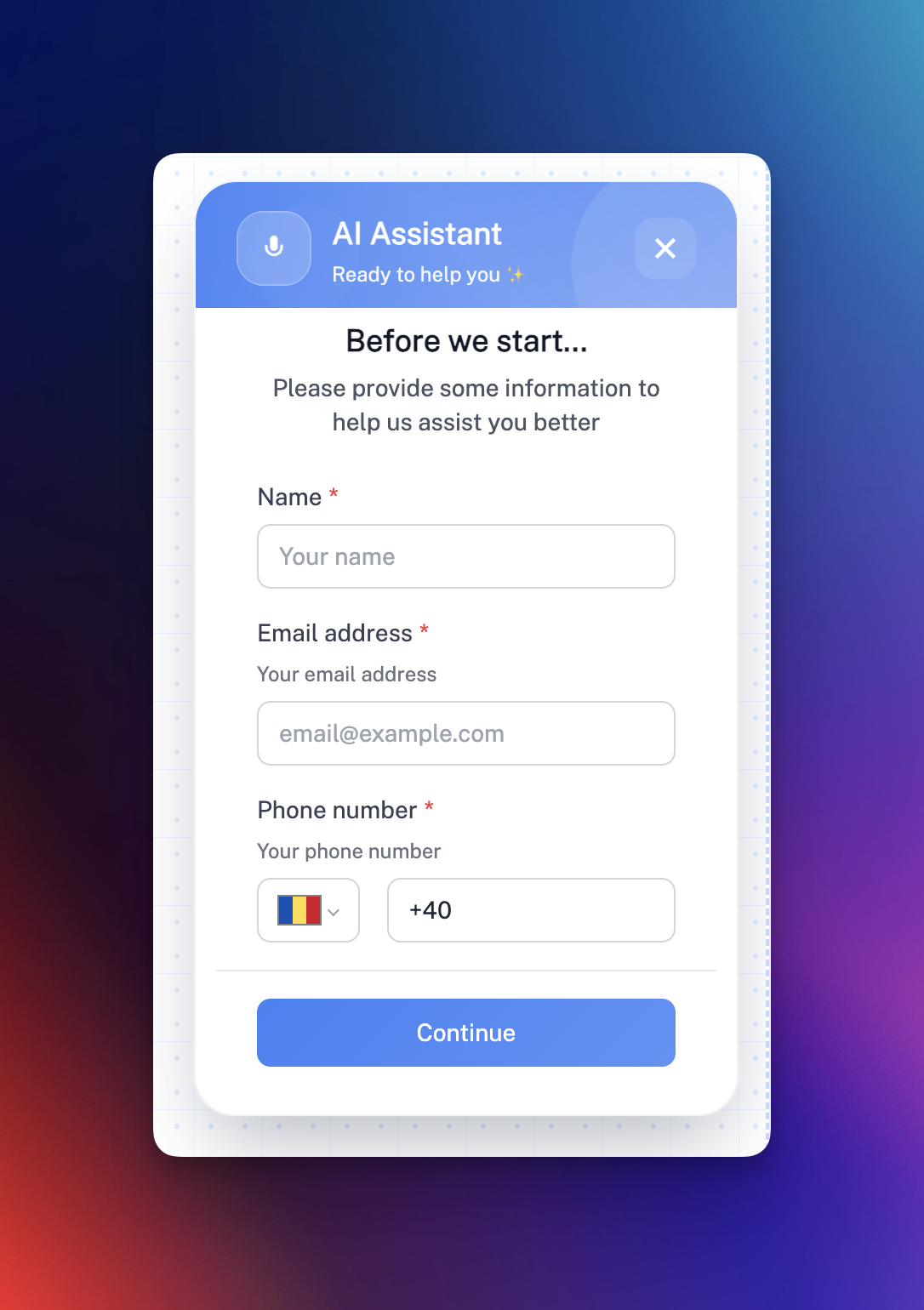
 ### 🧩 Web Widget Pre-Form Builder
Collect essential lead data **before** your assistant starts chatting or talking.
You can now build **custom pre-chat forms** with a visual form builder, fully customizable for your business use case — whether that’s a salon appointment, a medical consultation, or a sales lead.
### Supported Field Types
* **Text** – Single-line text input
* **Email** – With built-in validation
* **Phone** – With country selector
* **Text Area** – For multi-line inputs
### Additional Settings
* **Required fields** (ensure important info is captured)
* **Variable names** sent directly to your assistant (e.g. **customer\_name**)
* **Labels, placeholders, and helper text** for a clean, user-friendly interface
### 🧩 Web Widget Pre-Form Builder
Collect essential lead data **before** your assistant starts chatting or talking.
You can now build **custom pre-chat forms** with a visual form builder, fully customizable for your business use case — whether that’s a salon appointment, a medical consultation, or a sales lead.
### Supported Field Types
* **Text** – Single-line text input
* **Email** – With built-in validation
* **Phone** – With country selector
* **Text Area** – For multi-line inputs
### Additional Settings
* **Required fields** (ensure important info is captured)
* **Variable names** sent directly to your assistant (e.g. **customer\_name**)
* **Labels, placeholders, and helper text** for a clean, user-friendly interface
 ### 🎨 Enhanced Widget Customization
The web widget is now more flexible and on-brand than ever:
* Choose between **Modern** or **Classic** styles
* Adjust **size, placement, and colors**
* Enable **voice-only, chat-only, or hybrid** interaction modes
### 💰 Pricing & Availability
* **Free** when used **internally** for testing assistants (no balances deducted).
* **Public chat mode** costs just **\$0.01 per AI reply**, regardless of the model or message size — making it one of the most cost-efficient AI chat options available.
### 🌟 Custom dashboards, 💬 Assistant chat, 💳 Auto top-up, 📅 1-Click Cal.com integration
We’re excited to roll out a series of powerful updates designed to make managing, testing, and customizing your AI assistant experience smoother than ever.
📊 Custom Dashboards
### 🎨 Enhanced Widget Customization
The web widget is now more flexible and on-brand than ever:
* Choose between **Modern** or **Classic** styles
* Adjust **size, placement, and colors**
* Enable **voice-only, chat-only, or hybrid** interaction modes
### 💰 Pricing & Availability
* **Free** when used **internally** for testing assistants (no balances deducted).
* **Public chat mode** costs just **\$0.01 per AI reply**, regardless of the model or message size — making it one of the most cost-efficient AI chat options available.
### 🌟 Custom dashboards, 💬 Assistant chat, 💳 Auto top-up, 📅 1-Click Cal.com integration
We’re excited to roll out a series of powerful updates designed to make managing, testing, and customizing your AI assistant experience smoother than ever.
📊 Custom Dashboards
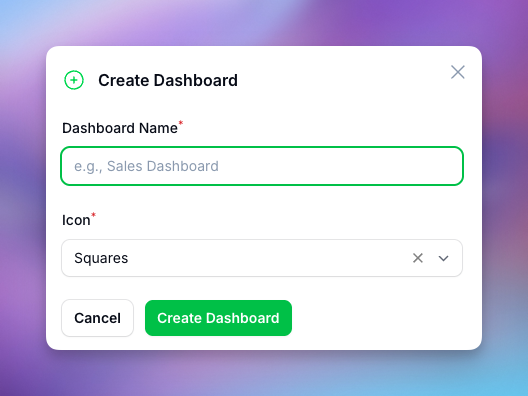 Say hello to **fully customizable dashboards** built for your workflow.
* **Drag and drop** charts, stats, and tables to design layouts that fit your business.
* Display data from **calls, leads, campaigns, or any connected integrations**.
* Add and resize widgets in real time to focus on what matters most — performance, revenue, or engagement trends.
💬 Live Chat with Assistant
Say hello to **fully customizable dashboards** built for your workflow.
* **Drag and drop** charts, stats, and tables to design layouts that fit your business.
* Display data from **calls, leads, campaigns, or any connected integrations**.
* Add and resize widgets in real time to focus on what matters most — performance, revenue, or engagement trends.
💬 Live Chat with Assistant
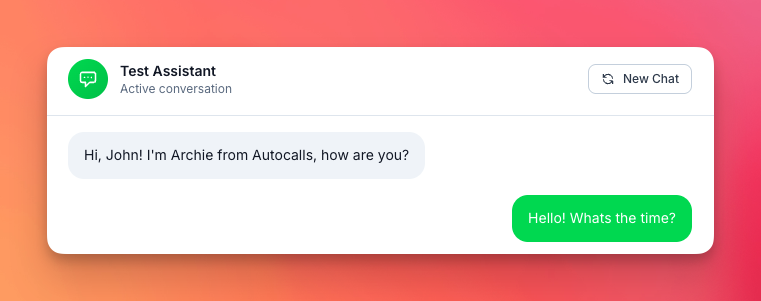 You can now **chat directly with your assistant in real time** using text — perfect for testing and refining conversation flows without making live calls.
* 💡 **Free usage for testing:** Chats with your assistant don’t consume any balance, so you can experiment safely.
* 🧠 Great for **training, debugging, or reviewing responses** before deploying changes to production.
* 🚀 **Coming soon:** Extend live chat to customer-facing channels like your **website widget**, **WhatsApp**, **Messenger**, and **SMS**, allowing users to talk to the AI on their favorite platforms.
This makes building and improving assistants faster, cheaper, and more accessible for every user.
💳 Auto Top-Up
You can now **chat directly with your assistant in real time** using text — perfect for testing and refining conversation flows without making live calls.
* 💡 **Free usage for testing:** Chats with your assistant don’t consume any balance, so you can experiment safely.
* 🧠 Great for **training, debugging, or reviewing responses** before deploying changes to production.
* 🚀 **Coming soon:** Extend live chat to customer-facing channels like your **website widget**, **WhatsApp**, **Messenger**, and **SMS**, allowing users to talk to the AI on their favorite platforms.
This makes building and improving assistants faster, cheaper, and more accessible for every user.
💳 Auto Top-Up
 No more interruptions due to low balance. The new **Auto Top-Up** feature ensures your system always stays online and calling.
* Get **real-time alerts** when your balance is running low.
* Automatically **add credits** from your default payment method.
* Set thresholds and amounts to stay in full control of your spending.
It’s a simple but powerful way to guarantee uninterrupted service — especially for active campaigns or high-volume operations.
🔗 Cal.com 1-Click Integration
No more interruptions due to low balance. The new **Auto Top-Up** feature ensures your system always stays online and calling.
* Get **real-time alerts** when your balance is running low.
* Automatically **add credits** from your default payment method.
* Set thresholds and amounts to stay in full control of your spending.
It’s a simple but powerful way to guarantee uninterrupted service — especially for active campaigns or high-volume operations.
🔗 Cal.com 1-Click Integration
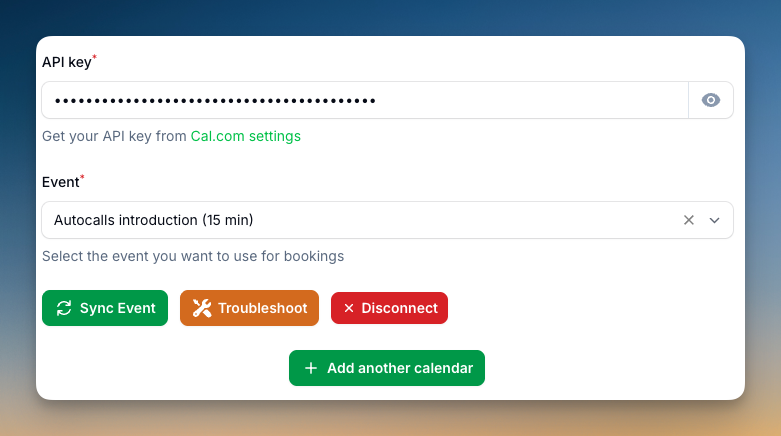 Connecting your **Cal.com** account is now faster and simpler than ever.
* Use the new **one-click connect** button to instantly link your calendar.
* Built-in **troubleshooting tools** help you identify and fix sync issues quickly.
* Perfect for ensuring your scheduling automations and booking workflows stay seamless across assistants and team calendars.
📅 Set Date Format
Connecting your **Cal.com** account is now faster and simpler than ever.
* Use the new **one-click connect** button to instantly link your calendar.
* Built-in **troubleshooting tools** help you identify and fix sync issues quickly.
* Perfect for ensuring your scheduling automations and booking workflows stay seamless across assistants and team calendars.
📅 Set Date Format
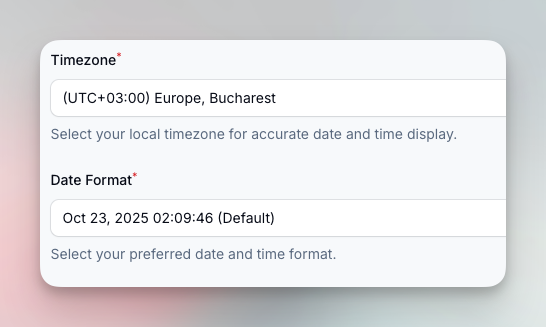 You can now choose your **preferred date format** across the platform.
* Select from common regional styles like DD/MM/YYYY or MM/DD/YYYY.
* Improves clarity for reports, logs, and analytics — especially across global teams.
### 📵 Blacklist, ♻️ Automatic number rotation, 🔁 Transfer call improvements and more
We’ve rolled out several powerful updates to give you more control, visibility, and performance across your calls and assistants.
📵 Blacklist System
You can now choose your **preferred date format** across the platform.
* Select from common regional styles like DD/MM/YYYY or MM/DD/YYYY.
* Improves clarity for reports, logs, and analytics — especially across global teams.
### 📵 Blacklist, ♻️ Automatic number rotation, 🔁 Transfer call improvements and more
We’ve rolled out several powerful updates to give you more control, visibility, and performance across your calls and assistants.
📵 Blacklist System
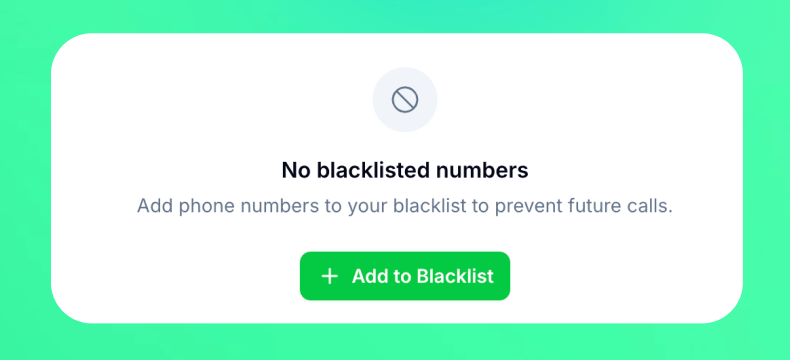 Easily block unwanted numbers for both inbound and outbound calls.
* Add numbers to your **Blacklist** directly from **Calls History** or **Leads** (single or bulk).
* Calls to or from blacklisted numbers are automatically rejected with a clear message: *“Number is blacklisted.”*
* View, manage, or remove entries via the new **Blacklist** panel.
📞 Campaign Number Pool
Easily block unwanted numbers for both inbound and outbound calls.
* Add numbers to your **Blacklist** directly from **Calls History** or **Leads** (single or bulk).
* Calls to or from blacklisted numbers are automatically rejected with a clear message: *“Number is blacklisted.”*
* View, manage, or remove entries via the new **Blacklist** panel.
📞 Campaign Number Pool
 Campaigns can now use **multiple outgoing numbers**.
* Assign several numbers to a campaign.
* Calls are automatically rotated and balanced between numbers for even distribution.
* Built with fast and efficient number rotation algorithm.
🔁 Transfer Call View
Campaigns can now use **multiple outgoing numbers**.
* Assign several numbers to a campaign.
* Calls are automatically rotated and balanced between numbers for even distribution.
* Built with fast and efficient number rotation algorithm.
🔁 Transfer Call View
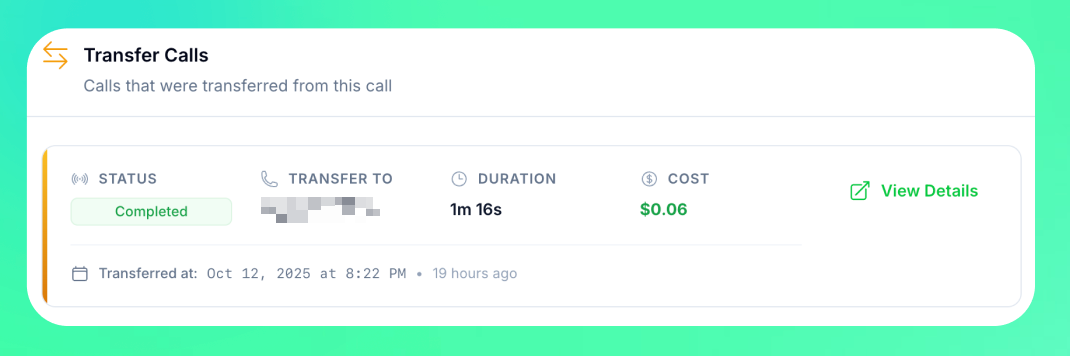 A clearer way to track transferred calls.
* See all **transferred calls** directly in the Calls table with detailed info like parent call, duration, and outcome.
* Available for calls made through **dedicated numbers** or the **“Use your own number”** feature. ***SIP trunk integrated calls cannot be tracked for call transfers.***
### 🤖 Gemini 2.5 Model October version
Introducing the latest **Gemini 2.5** model released in October for **Speech-to-Speech** mode.
* Smarter and more accurate with **improved function-calling abilities**.
* Will soon be integrated into **Dualplex Mode** for an even better assistant experience.
### 📅 Multi-Calendar Support for Assistants
We’ve added **Multi-Calendar Tools**, making scheduling smarter and more flexible than ever.
### What’s new:
* 🧑🤝🧑 **Team & Service Calendars** – Assign different calendars to the same assistant, perfect for businesses where customers choose a specific team member or service (e.g. hair vs. nails in a salon).
* 🩺 **Medical Appointments Made Easy** – Patients can now book directly with the right doctor’s calendar, streamlining scheduling in clinics and practices.
* 🔄 **Seamless Management** – Assistants handle multiple calendars effortlessly, reducing back-and-forth and ensuring accurate bookings every time.
This update makes your AI assistants even more versatile, whether you’re running a **salon, clinic, or service team**.
### 🔀 Dualplex Assistant Mode (Beta)
A clearer way to track transferred calls.
* See all **transferred calls** directly in the Calls table with detailed info like parent call, duration, and outcome.
* Available for calls made through **dedicated numbers** or the **“Use your own number”** feature. ***SIP trunk integrated calls cannot be tracked for call transfers.***
### 🤖 Gemini 2.5 Model October version
Introducing the latest **Gemini 2.5** model released in October for **Speech-to-Speech** mode.
* Smarter and more accurate with **improved function-calling abilities**.
* Will soon be integrated into **Dualplex Mode** for an even better assistant experience.
### 📅 Multi-Calendar Support for Assistants
We’ve added **Multi-Calendar Tools**, making scheduling smarter and more flexible than ever.
### What’s new:
* 🧑🤝🧑 **Team & Service Calendars** – Assign different calendars to the same assistant, perfect for businesses where customers choose a specific team member or service (e.g. hair vs. nails in a salon).
* 🩺 **Medical Appointments Made Easy** – Patients can now book directly with the right doctor’s calendar, streamlining scheduling in clinics and practices.
* 🔄 **Seamless Management** – Assistants handle multiple calendars effortlessly, reducing back-and-forth and ensuring accurate bookings every time.
This update makes your AI assistants even more versatile, whether you’re running a **salon, clinic, or service team**.
### 🔀 Dualplex Assistant Mode (Beta)
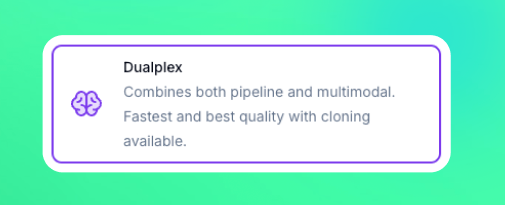 We’re excited to introduce **Dualplex Mode**, our newest and most powerful assistant experience — combining the best of both worlds from **Speech-to-Speech** and **Pipeline** modes.
### What’s new in Dualplex Mode:
* 🎤 **Speech-to-Speech Intelligence** Leverages the advanced **STT + LLM stack** from our Realtime models for natural, fluid conversations with ultra-low latency.
* 🔊 **Premium Voice Output** Uses **ElevenLabs TTS**, bringing high-quality voices and voice cloning capabilities directly into the experience.
* ⚡ **Best of Both Modes** Seamlessly blends the responsiveness of Speech-to-Speech with the flexibility and voice quality of Pipeline.
### Why it matters:
Dualplex gives you the **most realistic AI voice interactions yet**, making conversations smoother, more human-like, and easier to integrate into production environments.
⚠️ **Note:** Dualplex is currently in **beta**. We’re gathering feedback and improving quickly — try it out now and let us know what you think!
### 🗣️ GPT-5 Realtime Speech-to-Speech
We’re excited to introduce **Dualplex Mode**, our newest and most powerful assistant experience — combining the best of both worlds from **Speech-to-Speech** and **Pipeline** modes.
### What’s new in Dualplex Mode:
* 🎤 **Speech-to-Speech Intelligence** Leverages the advanced **STT + LLM stack** from our Realtime models for natural, fluid conversations with ultra-low latency.
* 🔊 **Premium Voice Output** Uses **ElevenLabs TTS**, bringing high-quality voices and voice cloning capabilities directly into the experience.
* ⚡ **Best of Both Modes** Seamlessly blends the responsiveness of Speech-to-Speech with the flexibility and voice quality of Pipeline.
### Why it matters:
Dualplex gives you the **most realistic AI voice interactions yet**, making conversations smoother, more human-like, and easier to integrate into production environments.
⚠️ **Note:** Dualplex is currently in **beta**. We’re gathering feedback and improving quickly — try it out now and let us know what you think!
### 🗣️ GPT-5 Realtime Speech-to-Speech
 We’ve rolled out major improvements to enhance speed and conversation quality across the platform:
* 🗣️ **GPT-5 Realtime in Speech-to-Speech Mode** – Natural, fluid conversations with ultra-low latency for voice interactions.
* ⚡ **GPT-5 Mini & Nano in Pipeline Mode** – Optimized for minimal reasoning effort, delivering faster response times and smoother call flows.
### 🧠 Campaigns just got smarter
We’ve added powerful new controls to help you get more out of your outbound campaigns, avoid wasted calls, and make sure every lead gets the attention it deserves.
Here’s what’s new:
### **1. Campaign Call Status Options**
You now have **three new controls** at the campaign level to fine-tune how your leads are called:
* **Retry until goal completed** *Continue calling until the goal is achieved.* Perfect for situations where a lead answers but doesn’t complete the desired action (e.g., no appointment booked). Calls will continue until the selected **goal variable** is marked as true.
* **Retry on voicemail** *Continue calling until a human answers (skip voicemails).* If a call hits voicemail, the lead won’t be marked as completed — the system will retry until someone picks up.
* **Goal variable** *Variable that must be true to mark lead as completed.* Select from your variables which one determines a “completed” lead. If the variable is false, the lead will be retried instead of being marked as completed.
### **2. Update Lead Data/Status from Automation Platform or API**
You can now **update lead details and statuses directly from your connected automation tools or API calls**.
* Change lead status (e.g., “created” instead of “completed”) dynamically.
* Push updated information into your campaigns without manual edits.
### **3. Ringing Timeout in Assistant Settings**
A new **ringing timeout** option in the Assistant settings lets you control how long to wait for an answer before moving on.
* For outbound campaigns, set it **lower** to avoid voicemail and save agent time.
* For campaigns with slower-answering customers, increase it to give them more time to pick up.
### 🚀 GPT-5 Integration
We’ve rolled out major improvements to enhance speed and conversation quality across the platform:
* 🗣️ **GPT-5 Realtime in Speech-to-Speech Mode** – Natural, fluid conversations with ultra-low latency for voice interactions.
* ⚡ **GPT-5 Mini & Nano in Pipeline Mode** – Optimized for minimal reasoning effort, delivering faster response times and smoother call flows.
### 🧠 Campaigns just got smarter
We’ve added powerful new controls to help you get more out of your outbound campaigns, avoid wasted calls, and make sure every lead gets the attention it deserves.
Here’s what’s new:
### **1. Campaign Call Status Options**
You now have **three new controls** at the campaign level to fine-tune how your leads are called:
* **Retry until goal completed** *Continue calling until the goal is achieved.* Perfect for situations where a lead answers but doesn’t complete the desired action (e.g., no appointment booked). Calls will continue until the selected **goal variable** is marked as true.
* **Retry on voicemail** *Continue calling until a human answers (skip voicemails).* If a call hits voicemail, the lead won’t be marked as completed — the system will retry until someone picks up.
* **Goal variable** *Variable that must be true to mark lead as completed.* Select from your variables which one determines a “completed” lead. If the variable is false, the lead will be retried instead of being marked as completed.
### **2. Update Lead Data/Status from Automation Platform or API**
You can now **update lead details and statuses directly from your connected automation tools or API calls**.
* Change lead status (e.g., “created” instead of “completed”) dynamically.
* Push updated information into your campaigns without manual edits.
### **3. Ringing Timeout in Assistant Settings**
A new **ringing timeout** option in the Assistant settings lets you control how long to wait for an answer before moving on.
* For outbound campaigns, set it **lower** to avoid voicemail and save agent time.
* For campaigns with slower-answering customers, increase it to give them more time to pick up.
### 🚀 GPT-5 Integration
 Experience the most advanced AI yet — faster, smarter, and more accurate responses now power your workflows. New paramters for adjusting reasoning effort will be added shortly. Right now the default value makes it very smart but slow.
### 📞 DTMF Input Tool
Experience the most advanced AI yet — faster, smarter, and more accurate responses now power your workflows. New paramters for adjusting reasoning effort will be added shortly. Right now the default value makes it very smart but slow.
### 📞 DTMF Input Tool
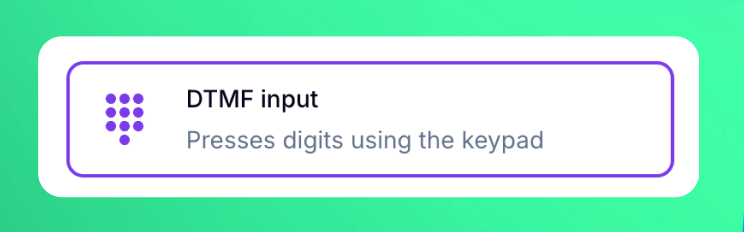 Easily send keypad inputs during outbound calls, enabling smooth navigation through IVR menus and automated workflows.
### 📋 Leads kanban board
Easily send keypad inputs during outbound calls, enabling smooth navigation through IVR menus and automated workflows.
### 📋 Leads kanban board
 Added **Kanban view** to the Leads section for a more visual workflow. You can now drag and drop leads between stages, quickly update statuses, and track progress at a glance.
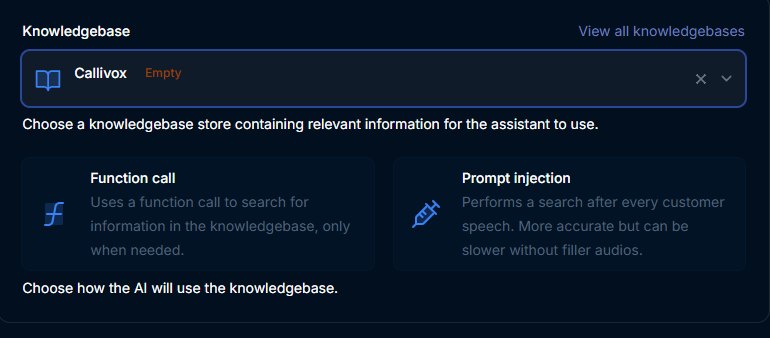
### 📚 Knowledgebase search & improved management
Added **Kanban view** to the Leads section for a more visual workflow. You can now drag and drop leads between stages, quickly update statuses, and track progress at a glance.
### 📚 Knowledgebase search & improved management
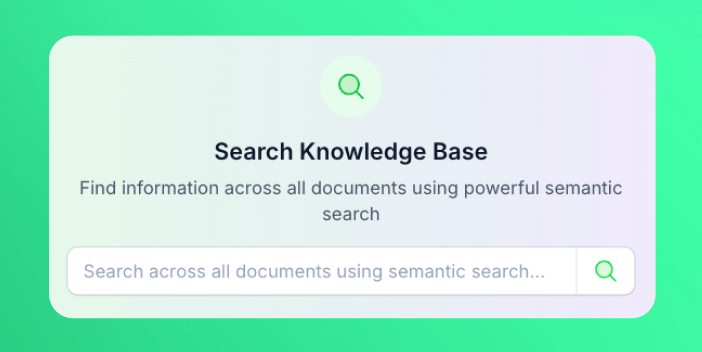 Knowledgebases have just been improved. Now you can:
* Search within your knowledgebase documents
* Delete an individual document. This is useful when you want to update a small part of an info without having to replace the whole knowledgebase
* View all the ingested chunks in each document
### 📲 Make phone call action in automation platform
Knowledgebases have just been improved. Now you can:
* Search within your knowledgebase documents
* Delete an individual document. This is useful when you want to update a small part of an info without having to replace the whole knowledgebase
* View all the ingested chunks in each document
### 📲 Make phone call action in automation platform
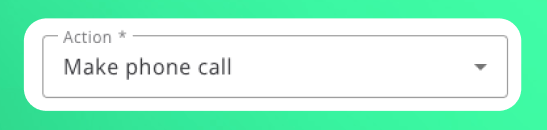 Added a new *“Make Phone Call”* action that instantly dials a single number as soon as the API endpoint is invoked—no campaign setup required. Perfect for one-off or time-critical calls, while campaigns remain the recommended solution for bulk calling lists. You can find this action in the automation platform or API.
### 👥 Secondary contacts on leads
Added a new *“Make Phone Call”* action that instantly dials a single number as soon as the API endpoint is invoked—no campaign setup required. Perfect for one-off or time-critical calls, while campaigns remain the recommended solution for bulk calling lists. You can find this action in the automation platform or API.
### 👥 Secondary contacts on leads
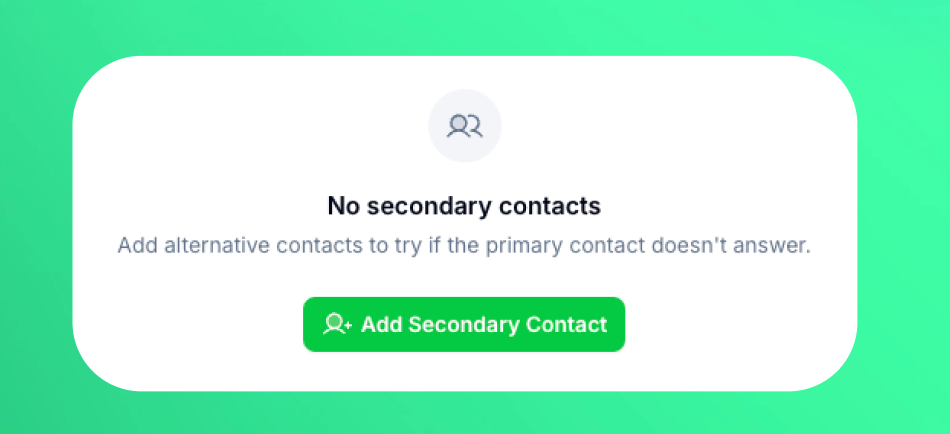 You can now attach multiple backup contacts to every lead. When the primary contact doesn’t answer, calls automatically cascade to the next contact in the list. Add, reorder, or remove secondary contacts from the lead details panel for smoother outreach and higher connect rates.
### 📶 Stable SIP proxy server
Customers that used "Outbound SIP proxy server" for their outbound SIP trunk connections to come from a fixed IP, can now switch to the new stable server which offers better connection and stability as this feature was previously in beta. If you used this feature before the update, you will see a button to migrate to the new server from the SIP trunk interface. *Make sure to allow in your PBX/VoIP provider the new IP which you can find in the same SIP trunk interface dialog from phone numbers page.*
### 🌍 Multi-lingual assistants
You can now attach multiple backup contacts to every lead. When the primary contact doesn’t answer, calls automatically cascade to the next contact in the list. Add, reorder, or remove secondary contacts from the lead details panel for smoother outreach and higher connect rates.
### 📶 Stable SIP proxy server
Customers that used "Outbound SIP proxy server" for their outbound SIP trunk connections to come from a fixed IP, can now switch to the new stable server which offers better connection and stability as this feature was previously in beta. If you used this feature before the update, you will see a button to migrate to the new server from the SIP trunk interface. *Make sure to allow in your PBX/VoIP provider the new IP which you can find in the same SIP trunk interface dialog from phone numbers page.*
### 🌍 Multi-lingual assistants
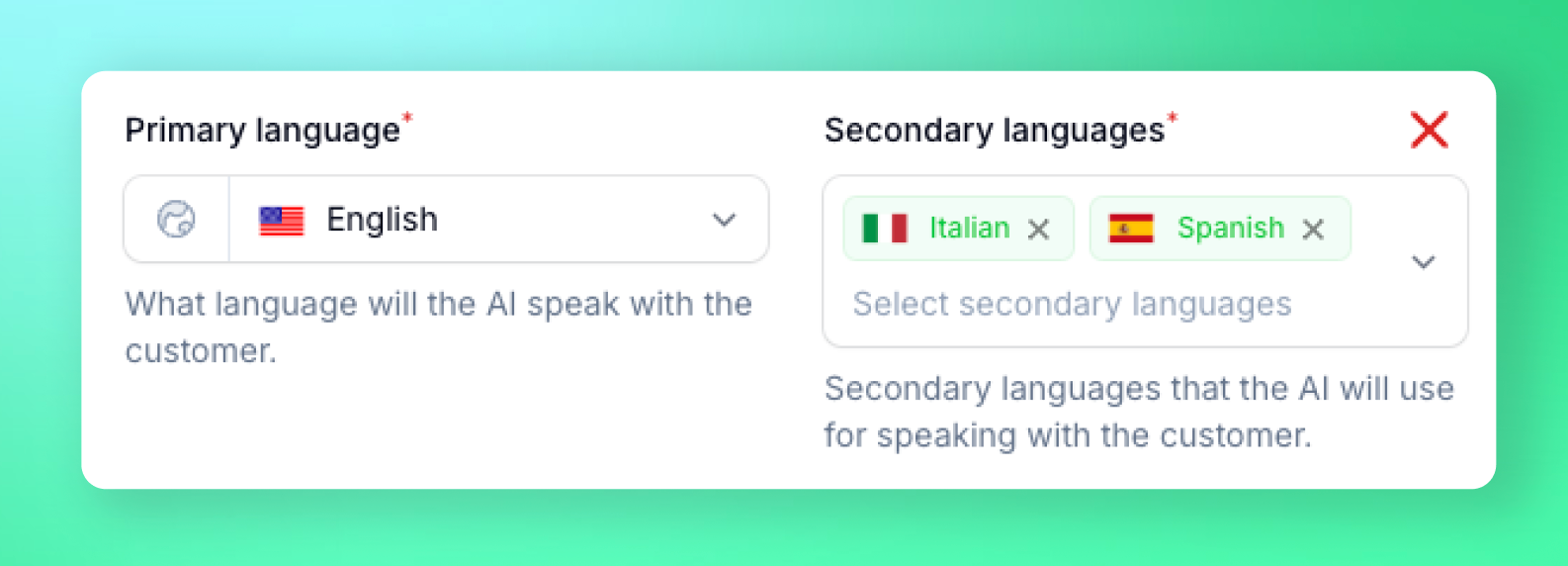 Assistants can now speak multiple languages in the same conversation by setting up "secondary languages" in assistant settings first tab. They can switch language mid-call based on customer needs, providing seamless multilingual support.
### 🌐 Web widget - Voice AI for websites
Assistants can now speak multiple languages in the same conversation by setting up "secondary languages" in assistant settings first tab. They can switch language mid-call based on customer needs, providing seamless multilingual support.
### 🌐 Web widget - Voice AI for websites
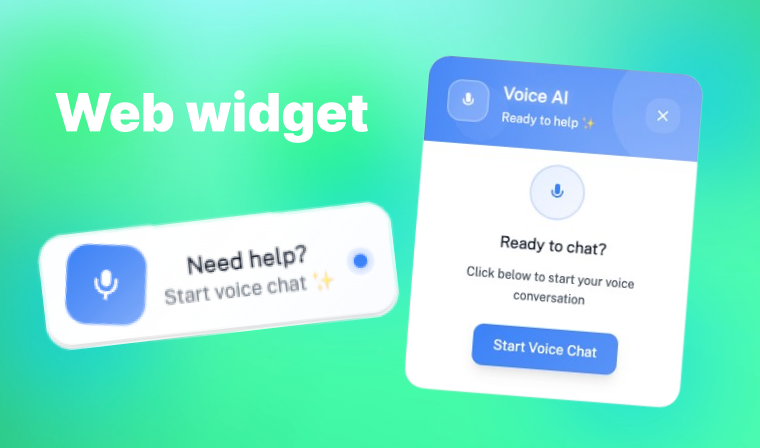 Embed assistants on websites with the voice AI widget similar to chatbots but with voice. You can fully customize the widget appearance from assistant settings from the "Web widget" button: `colors`, `texts`, `positions` and more. Paste the generated script tag snippet on any website page and you're good to go.
### 🌟 Go High Level calendar integration
Embed assistants on websites with the voice AI widget similar to chatbots but with voice. You can fully customize the widget appearance from assistant settings from the "Web widget" button: `colors`, `texts`, `positions` and more. Paste the generated script tag snippet on any website page and you're good to go.
### 🌟 Go High Level calendar integration
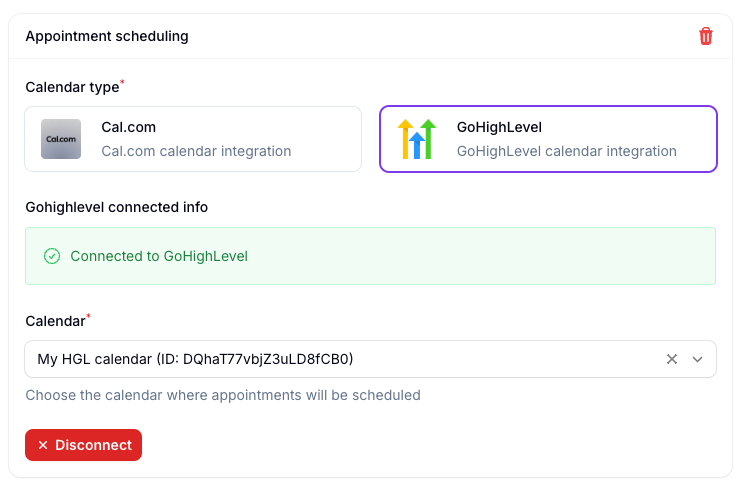 Fetch available slots and book appointments using GoHighLevel calendars
### New Gemini 2.5-flash dialog model *(beta)*
Added newest speech to speech model performing best for quality and latency. Includes 30+ voices and works in multi-lingual as well.
***
## 🖥️ Application
### Interface
* **Added account level timezone setting**
* Added minimum words interruption option in assistant settings
* Added volume slider for background ambiance audio
***
## ⚙️ Automation Platform
* **New action: Delete lead** - Delete leads programmatically
* **New action: Start/Stop campaign** - Control campaign status programmatically
* **Improved** - Automation platform loads 10x faster
***
## 🔗 API
* **Delete lead** - New API endpoint to permanently delete leads
* **Start/Stop campaign** - Control campaign status programmatically with new API endpoints
### 🚀 New 2.0 Voice Engine - Speak Like Never Before
Fetch available slots and book appointments using GoHighLevel calendars
### New Gemini 2.5-flash dialog model *(beta)*
Added newest speech to speech model performing best for quality and latency. Includes 30+ voices and works in multi-lingual as well.
***
## 🖥️ Application
### Interface
* **Added account level timezone setting**
* Added minimum words interruption option in assistant settings
* Added volume slider for background ambiance audio
***
## ⚙️ Automation Platform
* **New action: Delete lead** - Delete leads programmatically
* **New action: Start/Stop campaign** - Control campaign status programmatically
* **Improved** - Automation platform loads 10x faster
***
## 🔗 API
* **Delete lead** - New API endpoint to permanently delete leads
* **Start/Stop campaign** - Control campaign status programmatically with new API endpoints
### 🚀 New 2.0 Voice Engine - Speak Like Never Before
 The long awaited new engine has been deployed in the platform. It comes with improvements on overall conversation from response times, more emotion, better understanding to improved interruption handling and natural feel.
### ⚡ Real-time Speech-to-Speech Mode
The long awaited new engine has been deployed in the platform. It comes with improvements on overall conversation from response times, more emotion, better understanding to improved interruption handling and natural feel.
### ⚡ Real-time Speech-to-Speech Mode
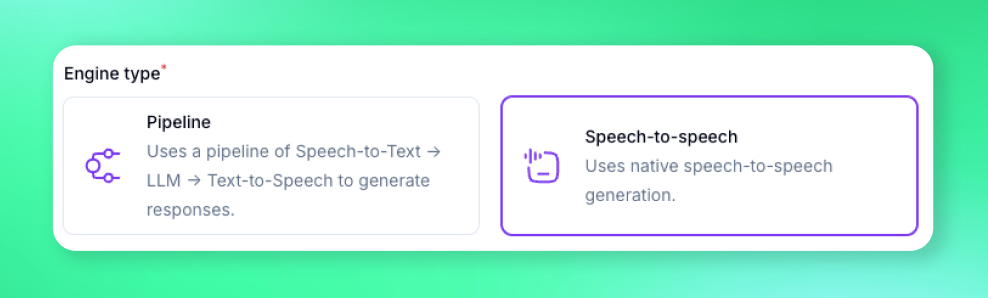 Skip TTS round-trips and give callers instant, more natural replies. Experience unprecedented conversation flow with real-time processing.
### 🎭 Sentiment Aware Filler Audios
Skip TTS round-trips and give callers instant, more natural replies. Experience unprecedented conversation flow with real-time processing.
### 🎭 Sentiment Aware Filler Audios
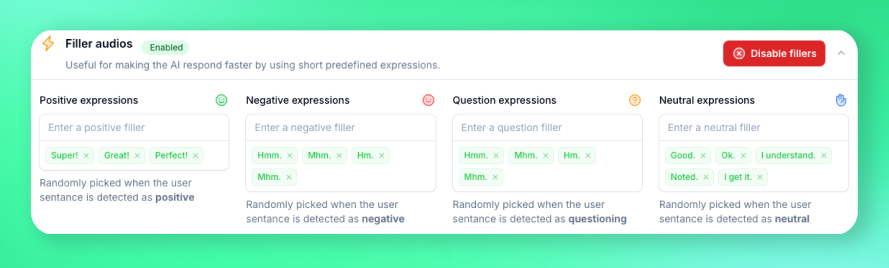 Select different filler audios based on customer reply sentiment for even faster responses. Your AI assistant now adapts its tone and pace based on customer emotions.
***
## 📚 Knowledge Management
### Build a Living Knowledgebase in Minutes
Select different filler audios based on customer reply sentiment for even faster responses. Your AI assistant now adapts its tone and pace based on customer emotions.
***
## 📚 Knowledge Management
### Build a Living Knowledgebase in Minutes
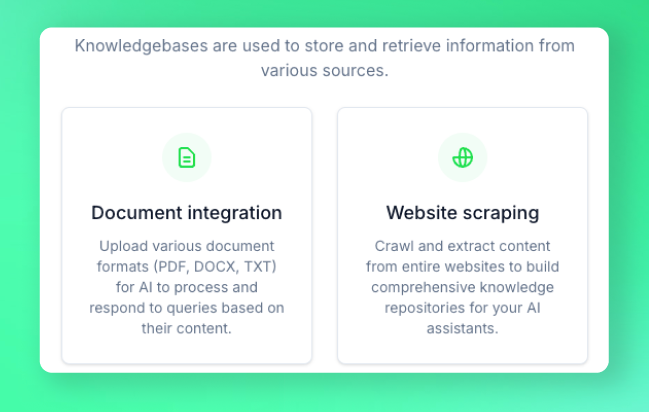 * **Point-and-scrape any website** — Product docs, help centers, wikis, or Notion pages
* **Drag-and-drop PDFs & files** — We'll ingest the text automatically so your agents can use it in-call
* **Point-and-scrape any website** — Product docs, help centers, wikis, or Notion pages
* **Drag-and-drop PDFs & files** — We'll ingest the text automatically so your agents can use it in-call
 ***
## 🖥️ Application
### Call directly from your browser *(beta)*
***
## 🖥️ Application
### Call directly from your browser *(beta)*
 This feature is present in beta mode and you can test it from assistant settings. It will soon be extended as a widget that can be embedded on websites.
### Multi number call transfer
This feature is present in beta mode and you can test it from assistant settings. It will soon be extended as a widget that can be embedded on websites.
### Multi number call transfer
 You can now route calls to multiple destination phone numbers like different people or departments according to your flow.